Back to Gallery
Color Theme

smpte Style Coloring Pages

3 AI-generated color inspirations for "smpte" theme coloring pages and artwork

AdSense Placeholder (Slot: 3395975636)

Explore Vibrant SMPTE Coloring Pages Online

Dive into our exclusive collection of SMPTE-inspired coloring pages! These unique, AI-generated designs capture the essence of SMPTE color standards, offering a vibrant palette for both kids and adults. Each printable page encourages creativity and relaxation, making it perfect for art enthusiasts and professionals alike. Whether you’re an aspiring artist or looking for a fun activity, our SMPTE coloring pages will provide hours of enjoyment!

Smpte Color Gallery & Examples

All Smpte Color Inspirations

Color Analysis

Jun 13, 2025

ColorPal

User's Prompt/Instruction:

I want to show LED lights that have a retro color pallette that reminds you of SMPTE color bars that you would see on a television screen. Please provide 10 different colors that would work on an actual LED light.

Input Image:
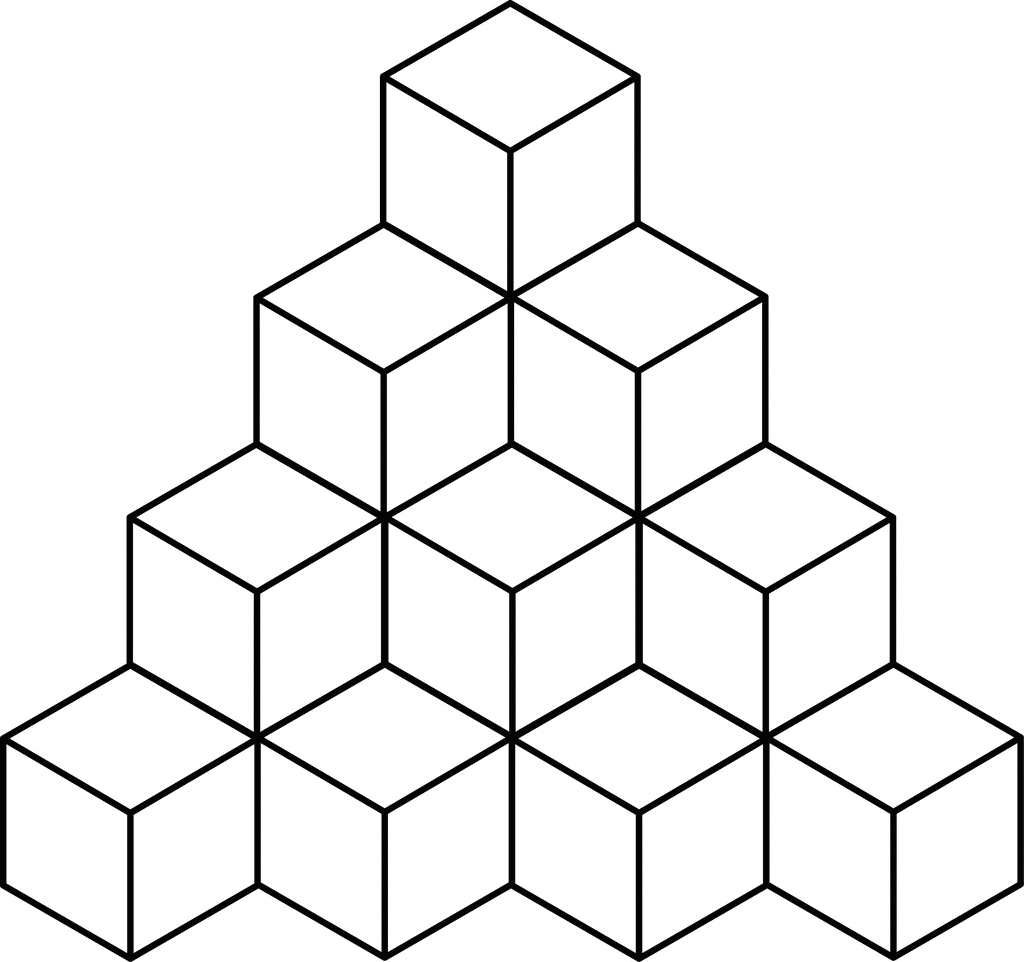
Vibrant SMPTE coloring page featuring geometric shapes

Color Analysis:

Color Recommendations

  1. Front Face 1 - Light Pink: #FFC0CB
  2. Front Face 2 - Cyan: #00FFFF
  3. Front Face 3 - Yellow: #FFFF00
  4. Side Face 1 - Light Green: #32CD32
  5. Side Face 2 - Blue: #0000FF
  6. Top Face 1 - Magenta: #FF00FF
  7. Top Face 2 - Red: #FF0000
  8. Side Face 3 - Dark Green: #008000
  9. Top Face 3 - Orange: #FFA500
  10. Front Face 4 - Violet: #8A2BE2

Analysis

The selected colors mimic the vibrant retro palette reminiscent of SMPTE color bars. These colors are highly saturated and evoke a sense of nostalgia and playfulness. Using these colors for LEDs conveys vivid brightness and clarity, making each cube segment distinct yet harmoniously part of a unified design. The contrast between adjacent colors can enhance visual interest and guide the viewer's eye through the composition, maintaining a captivating balance between the old-school appeal and modern LED vibrancy.

Tips for Coloring

  1. Blending Technique: Use a small blending tool or a soft brush to gently merge the edges where two contrasting colors meet. This can soften transitions while maintaining each color's distinctive vibrancy.

  2. Shading Advice: Add subtle shading with a light grey or a slightly darker shade of each color on one side of the cubes to simulate depth and dimensionality. This can give the illusion of light reflecting off a surface.

  3. Layering Method: Apply the colors in layers—start with a base layer and slowly add more to achieve the desired saturation and intensity. This can help you achieve a more even application and richer color.

  4. Texture Addition: To simulate the glow of LED lights, consider adding a slight halo effect around the edges of each colored section with a white pencil or paint pen.

  5. Consistency: Keep the application consistent across similar elements to maintain cohesiveness. Ensure that the texture and saturation are uniform across all cubes to prevent one area from overpowering the others.

Color Analysis

Jun 13, 2025

ColorPal

User's Prompt/Instruction:

Retro color scheme that reminds you of SMPTE color bars. Keep in mind that these colors may change every 5 seconds

Input Image:
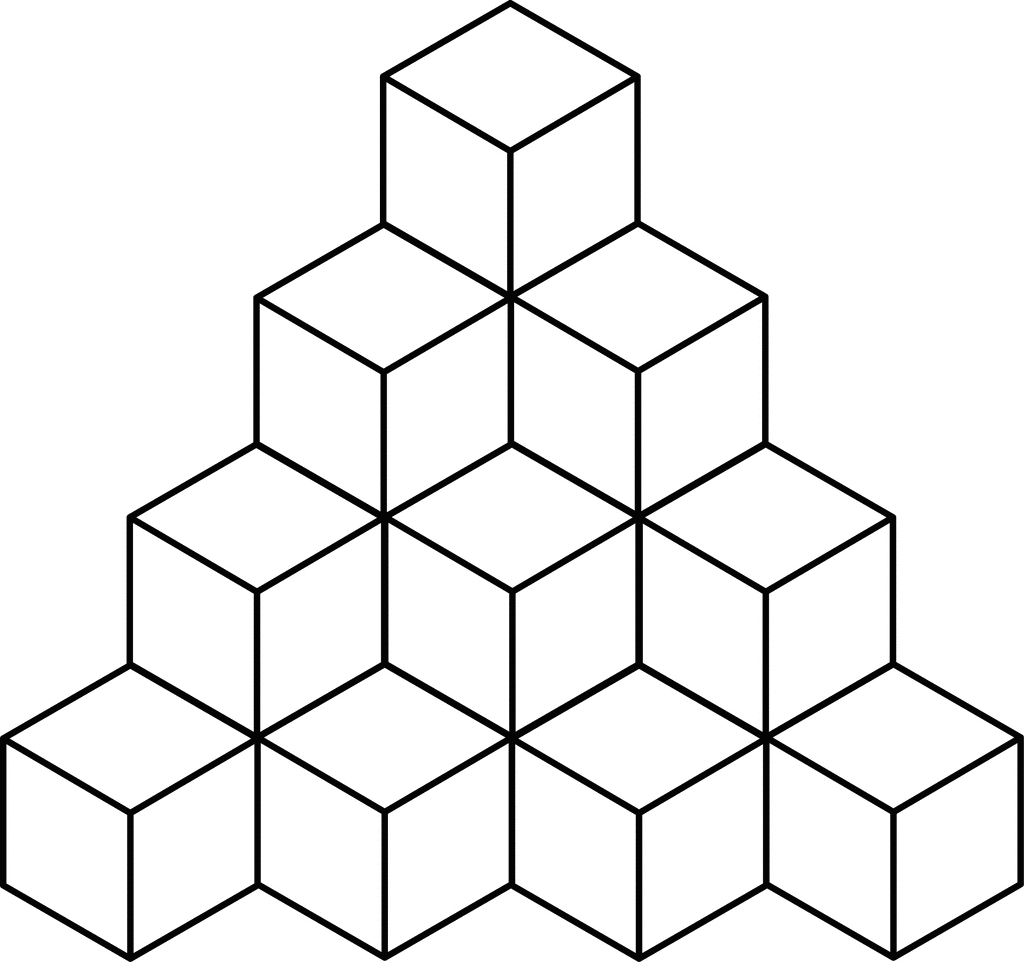
AI generated colorful SMPTE themed artwork for coloring

Color Analysis:

Color Recommendations

  • Top Cube - Dark Green: #006600
  • Middle Left Cube - Yellow: #FFFF00
  • Middle Right Cube - Cyan: #00FFFF
  • Bottom Left Cube - Red: #FF0000
  • Bottom Middle Cube - Magenta: #FF00FF
  • Bottom Right Cube - Blue: #0000FF
  • Background - Gray: #BEBEBE

Analysis

The recommended colors mirror the classic SMPTE color bars used in video broadcasting, which evoke a retro, vibrant feel. Each bold color contrasts sharply against the others, creating a striking visual that plays with perception and depth. The use of contrasting bright and dark colors also adds a dynamic, energetic vibe to the image, keeping the viewer's attention.

Tips for Coloring

  1. Blending Techniques: Use a soft blender or white pencil to gently mix the colors within each cube to create a smoother transition and reduce harsh lines.

  2. Shading Advice: Apply more pressure on one side of each cube to give the appearance of a light source and added dimension.

  3. Adding Depth: Introduce a thin line of a darker shade along the edges of the cubes to enhance the 3D effect.

  4. Texture Variation: Use cross-hatching or stippling techniques within each cube to create a textured effect, adding a retro vibe reminiscent of vintage graphic styles.

  5. Consistent Background: Keep the background color consistent to maintain focus on the colorful cubes while providing a neutral base that complements the vivid hues.

Color Analysis

Jun 13, 2025

ColorPal

User's Prompt/Instruction:

Retro color scheme that reminds you of SMPTE color bars

Input Image:
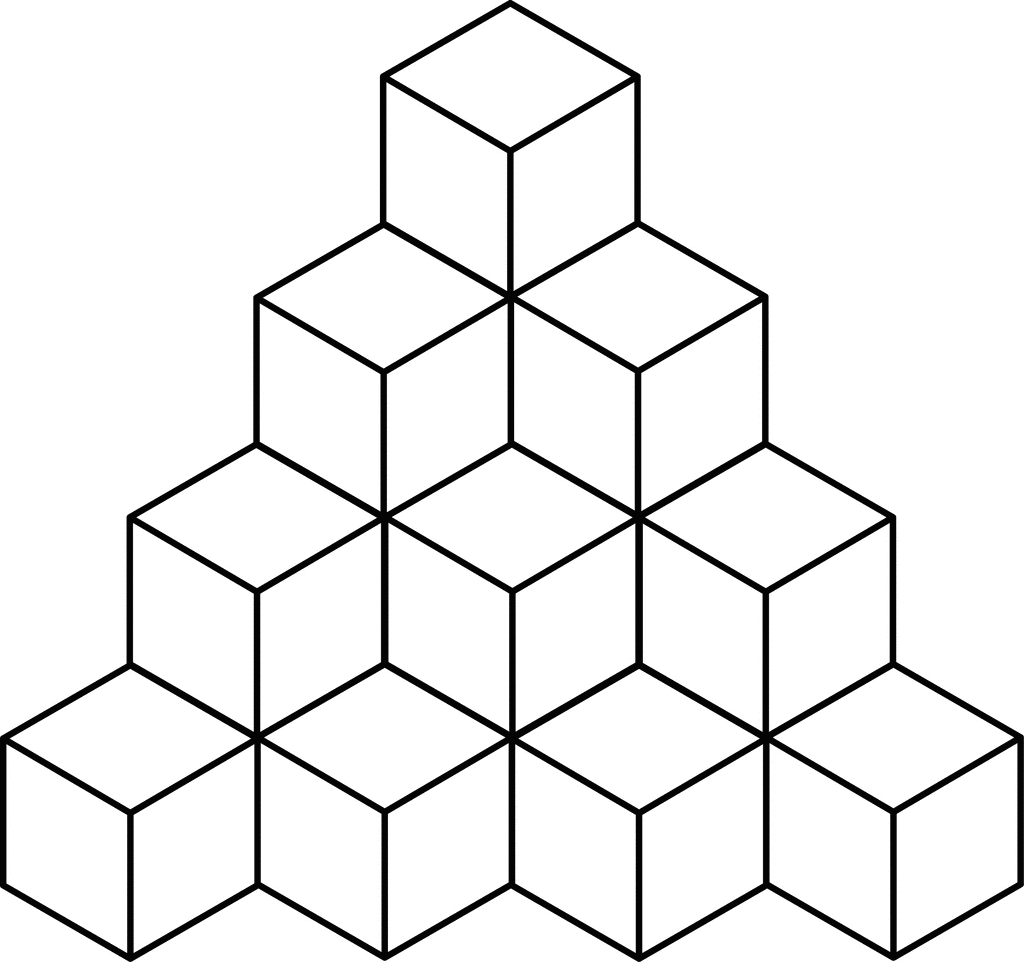
Printable coloring page inspired by SMPTE color standards

Color Analysis:

Color Recommendations

  • Top Row Cube - Light Cyan : #00FFFF
  • Second Row Left Cube - Magenta : #FF00FF
  • Second Row Middle Cube - Yellow : #FFFF00
  • Second Row Right Cube - Blue : #0000FF
  • Third Row Left Cube - Red : #FF0000
  • Third Row Middle Cube - Green : #00FF00
  • Third Row Right Cube - White : #FFFFFF
  • Background - Gray : #808080

Analysis

The recommended colors are inspired by the classic SMPTE color bars, which are often used in television for testing. These colors are bright, bold, and provide a high-contrast, retro aesthetic. This palette is effective for creating a visually striking and nostalgic theme. The combination of primary and secondary colors with gray adds balance and ensures the cubes stand out against the background. Each color complements the others, creating a harmonious look reminiscent of vintage television screens.

Tips for Coloring

  1. Consistent Pressure: Use consistent pressure when coloring to maintain uniformity, especially with vibrant colors.

  2. Blending: For a seamless blend between colors (e.g., Magenta and Cyan), use colored pencils gently and overlap slightly.

  3. Shading: Add depth by applying more pressure along the cube edges, softening towards the center, to give a three-dimensional effect.

  4. Highlight with White: Use white pencil to blend and soften areas, providing a retro glow when combined with the bright colors.

  5. Texture Variations: Experiment with different stroke techniques (cross-hatching, circular) to add visual interest and texture to the cubes.

AdSense Placeholder (Slot: 6848953729)

Related Color Themes & Inspiration